The Best Customisable Invoices for UK Businesses in 2026
The Best Customisable Invoices for UK Businesses in 2026

The best customisable invoice tool is the one that puts your logo, colours and wording on every invoice, then gets the invoice paid without extra effort. For freelancers, consultants, small agencies and small business owners who want that quickly and cheaply, InvoiceLabs is our pick: full brand customisation, real-time tax and discount calculations, instant delivery, live status tracking and a free plan to start on. Below, we compare it with the other invoice generators UK readers most often consider, so you can match a tool to the way you bill.
TL;DR
- Customisation that matters is logo, colours, wording, tax lines and currency on every invoice, plus a way to see when it has been opened and paid.
- InvoiceLabs has a free plan (£0), then Starter at £9 a month, Professional at £19 and Business at £49. Card payments on invoices cost 1%.
- Full accounting packages such as FreshBooks, Xero, QuickBooks and FreeAgent suit you if you want tax filing in the same place; they start at roughly £10 to £19 a month before VAT.
- Free tools can work for one-off invoices, but a tool that tracks status and takes card payments is what shortens the wait for your money.
Table of Contents
- What “customisable” should mean on an invoice
- The options compared
- InvoiceLabs: branded invoices in under 30 seconds
- FreshBooks: strong for time-based billing
- FreeAgent, QuickBooks and Xero: accounting first
- Zoho Invoice, Wave and Invoice Ninja: the free routes
- Word, Excel and Canva templates
- How to choose for your situation
- Making branding and workflow consistent
- Where InvoiceLabs fits
- Our view
- FAQ
- Sources
What “customisable” should mean on an invoice
Most tools say their invoices are customisable. In practice, the useful kind of customisation falls into five parts:
- Brand identity. Your logo and colours appear on the invoice, so it looks like the rest of your work. A client who receives a consistent document trusts it faster.
- Content that fits your trade. A designer bills by project, a developer by day or hour, a consultant by retainer. Templates tailored to the profession save you from deleting fields that do not apply.
- Tax and discounts that calculate themselves. Typing VAT by hand is where mistakes creep in. Totals should update as you add lines.
- Currency. If you bill abroad, the invoice should show the right currency without a spreadsheet detour.
- A way to get paid. A branded PDF is only half the job. A pay-by-card link and a visible status (sent, viewed, paid) cut the chasing.
Keep these five in mind. They are the criteria we use below.
The options compared
The table shows entry-level pricing. For InvoiceLabs the figures are from our own published plans. For the others they come from Freelancer Ledger’s October 2026 UK comparison and from the UK reviews linked in the sections below. Prices change, so check each provider’s page before you commit.
| Tool | Entry price | Free option | Best suited to |
|---|---|---|---|
| InvoiceLabs | £9 a month (Starter) | Yes, £0 a month | Freelancers, consultants, agencies and small businesses who want fast, branded invoices and card payments |
| FreshBooks | £16 a month ex VAT (Lite) | No, 30-day trial | Time and retainer billing with accounting built in |
| FreeAgent | £19 a month ex VAT | Free with some bank accounts | Sole traders wanting tax filing alongside invoices |
| QuickBooks | £10 to £16 a month plus VAT | No | Bookkeeping-led users |
| Xero | About £18 a month | No | Businesses wanting a full ledger |
| Zoho Invoice | Free tier | Yes, with usage caps | Light invoicing at no cost |
| Wave | Free (Starter) | Yes | Sole traders wanting a free ledger |
| Invoice Ninja | Free self-hosted | Yes | Technical users happy to run their own setup |
InvoiceLabs: branded invoices in under 30 seconds
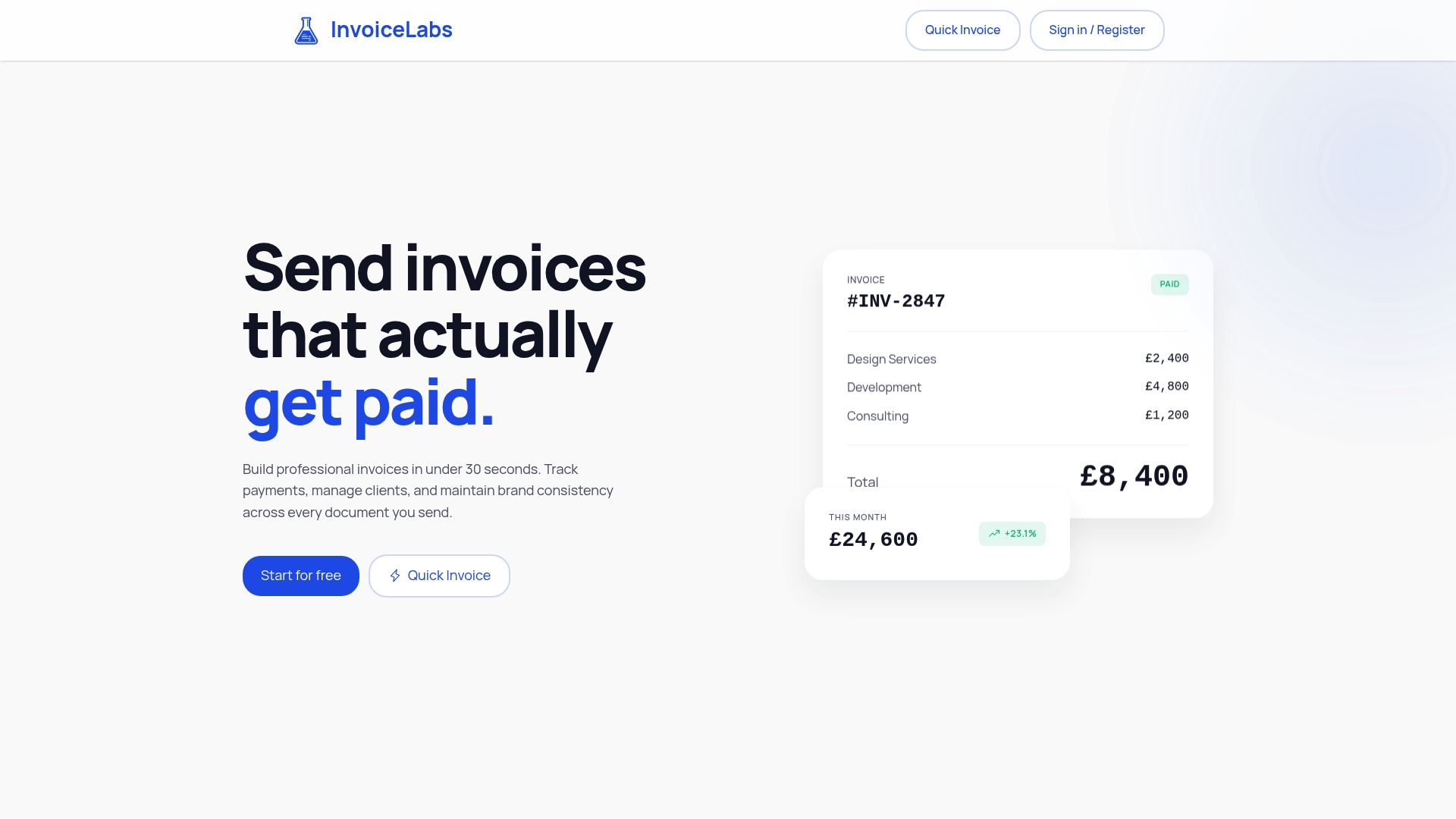
InvoiceLabs is built for the person who needs a professional invoice out of the door now, not after an afternoon of setup. You can create an invoice in under 30 seconds, and you can start without an account through the free invoice generator.
Against our five criteria:
- Brand identity: full brand customisation, including your logo and colours, with downloadable PDF invoices.
- Fit to your trade: invoice templates tailored by profession, such as the invoice template for graphic designers and the invoice template for web developers.
- Tax and discounts: real-time calculations as you build the invoice.
- Currency: multi-currency support.
- Getting paid: instant delivery, live status tracking, and card payments through Stripe at 1% per payment on invoices.
The pricing is simple. The Free plan costs £0 a month with limited usage. Paid plans unlock additional clients, companies and unlimited invoices: Starter is £9 a month, Professional £19 and Business £49. We publish no hidden fees, and security is bank-grade. You can also invoice from your phone, which helps when you finish a job away from your desk.
For a freelancer, that means the cheapest step up from a free generator is £9 a month, and it brings payment tracking and card collection with it. For an agency, the higher plans exist for more clients and companies under one roof.
FreshBooks: strong for time-based billing
FreshBooks puts invoicing at the centre of an accounting package. According to AccountingStack’s 2026 UK review, its invoices can carry your logo, accent colour, fonts and a thank-you message, and it offers recurring invoices, automatic late-payment reminders, multi-currency invoicing and time tracking. UK card payments run through Stripe at 2.9% plus 30p.
The same review lists pricing excluding VAT: Lite at £16 a month for five billable clients, Plus at £30 for 50 clients and Premium at £42 for unlimited clients, with a 30-day trial and no free plan. Past clients count towards the Lite cap until you deactivate them, so a growing service business can reach the next tier within a year.
It is a good fit if you bill by the hour and want everything in one accounting system. If your priority is fast, branded invoices at a lower monthly cost, the InvoiceLabs tiers start at £9 and the card fee is 1%.

FreeAgent, QuickBooks and Xero: accounting first
These three are bookkeeping packages that include invoicing. Freelancer Ledger’s comparison puts FreeAgent at £19 a month ex VAT, free with a qualifying NatWest, RBS, Ulster or Mettle account. It gives full Making Tax Digital (MTD) VAT and Self Assessment filing. QuickBooks is listed at £10 to £16 a month plus VAT, and Xero at around £18 a month at entry level.
Making Tax Digital is HMRC’s system for keeping digital records and filing tax returns through compatible software. If you want your invoices and your tax filing in one place, these are the tools built around that. If what you mainly need is an invoice that looks like yours and gets paid, an invoicing-focused tool is lighter to run, and our guide to the best invoicing software in the UK compares cost and fit in more depth.
Zoho Invoice, Wave and Invoice Ninja: the free routes
Three names come up whenever people search for free invoicing.
Zoho Invoice has a free tier with usage caps and VAT handling. MTD filing comes through Zoho Books, which is listed at around £10 a month in the same Freelancer Ledger comparison.
Wave is a free cloud bookkeeping and invoicing tool. AccountingStack’s UK review says Starter is free with unlimited invoices for a single user, and Pro costs about £12 a month billed in US dollars. Wave Payments is limited to the US and Canada, so UK users take card payments through third-party Stripe or PayPal links. It is also not HMRC-recognised for MTD.
Invoice Ninja is open source and free to self-host, with more than 20 payment gateways including GoCardless direct debit. It is not UK tax software, and running it yourself takes technical confidence.
If you want a free start with card payments and status tracking in a UK context, InvoiceLabs gives you a Free plan and a clear next step at £9 a month, with no hosting or bank-feed setup in the way.
Word, Excel and Canva templates
Many people begin with a template they edit by hand. That works for an occasional invoice. The trouble appears as volume grows: totals and VAT are typed manually, numbering is your responsibility, and you cannot see whether the client opened the file. Our guide to the best invoice templates for UK freelancers shows what a good layout contains. When you send more than a handful a month, a tool that fills in the arithmetic and tracks status saves more time than any template, however pretty.
How to choose for your situation
You are a freelancer who wants to send an invoice today. Start with the free invoice generator. You can create a branded invoice without an account, then move to a plan when you need more clients or unlimited invoices. Our invoicing software guide for freelancers covers the wider field.
You are a consultant protecting your brand. Your invoice is one of the last documents a client sees in each engagement. Logo, colours and a clear layout keep it consistent with your proposals. Look for full control over appearance rather than a fixed set of themes.
You run an agency chasing payments. Status tracking and card payment links matter more than layout. Seeing which invoices were opened and which are paid tells you whom to follow up. Our comparison of Stripe options for invoicing explains how card collection works for UK businesses.
You are a small business owner watching costs. Add up the monthly fee, the card fee and any per-client caps. A tool with a lower entry price and a 1% card fee can cost noticeably less than one that charges 2.9% plus 30p per card payment. For a £1,000 invoice paid by card, 1% is £10, while 2.9% plus 30p is £29.30.

You bill clients abroad. Choose multi-currency support, and read up on multi-currency invoicing so you understand how to bill clients in other countries and receive the money.
Making branding and workflow consistent
A branded template is only the first step. Reuse the same client details and payment terms on every invoice, and send each one the moment the work is done. Late invoices are paid late. If you want to go further and connect invoicing to the rest of your admin, this overview of automating invoice processing is a useful way to think about the workflow.
If your clients are in the EU or you deal with larger firms, the format of the file also matters. Our note on PDF versus e-invoice explains what UK freelancers and small businesses should know.
Where InvoiceLabs fits
You can try InvoiceLabs on the Free plan at £0 a month. When you need more clients, more companies or unlimited invoices, Starter is £9 a month, Professional £19 and Business £49. Card payments on invoices cost 1%. See the plans on the InvoiceLabs homepage.
If you are switching from another tool, our page on Invoice2go alternatives for UK freelancers is a good place to compare, and the cheapest invoicing software alternatives list covers budget options.
Our view
Invoicing is where good work turns into money, and it is the part most people rush. We built InvoiceLabs around one idea: an invoice should take seconds to make, look like your business, and be easy to pay.
That is why we put the effort into speed, real-time tax and discount calculations, instant delivery and live status tracking. The invoice you send should carry your logo and colours, and it should tell you when it has been paid. Freelancers, consultants and agencies do not want an accounting degree to bill a client.
We also keep pricing plain. There is a free plan, three paid tiers at £9, £19 and £49 a month, and a 1% fee on card payments. Our security is bank-grade, and we do not hide charges. We think that is how a small business should be treated.
Black Flame Digital
FAQ
What is the best program for invoices?
It depends on what you need beyond the invoice. For fast, branded invoices with status tracking and card payments, InvoiceLabs is the one we recommend, starting free. If you want tax filing in the same system, accounting packages such as FreeAgent, QuickBooks or Xero are built around that.
Is Zoho Invoice actually free?
Zoho Invoice has a free tier with usage caps, according to Freelancer Ledger’s UK comparison. MTD filing comes through the paid Zoho Books product. If you want a free plan that leads to unlimited invoices on a £9 monthly tier, InvoiceLabs offers that route.
Where can I get an invoice template?
You can start from a profession-specific template on InvoiceLabs, such as the web developer invoice template. Downloadable PDF invoices come with the platform, and your logo and colours can be applied to them.
Can I take card payments on a customised invoice?
Yes. InvoiceLabs integrates Stripe so clients can pay by card from the invoice, and the fee on card payments is 1%.
Sources
- Best Invoicing Software (UK, 2026), Freelancer Ledger
- FreshBooks Review UK 2026: Pricing, MTD and Features, AccountingStack
- Wave Accounting Review UK 2026: Free, But Not MTD, AccountingStack
- Multi-Currency Invoicing: How to Bill Clients Abroad
- How to Automate Invoice Processing: A Small Business Guide
Recommended
Send your next invoice in seconds
Create professional invoices, track payments and get paid faster — free to start.


