Purchase Invoice: A Practical Guide for Finance Professionals
A purchase invoice is the formal document a seller sends to a buyer requesting payment after goods or services have been delivered. It is the official record that triggers payment on the buyer’s side and closes the revenue loop on the seller’s side. Get it wrong, and you delay cash flow, create audit headaches, or worse, pay for something you never received.
What is a purchase invoice?
A purchase invoice is a seller-issued payment request delivered after goods or services reach the buyer. From the buyer’s perspective, it lands in accounts payable as a liability to settle. From the seller’s perspective, the same document is a sales invoice representing earned revenue. Same piece of paper, two different ledgers.
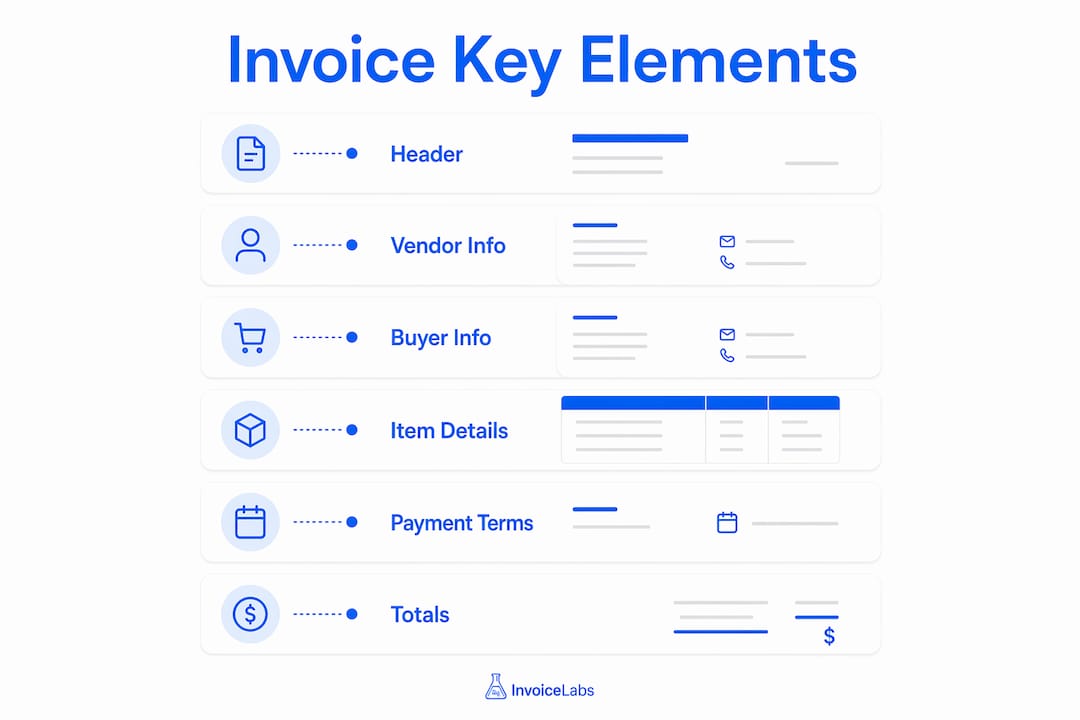
Here is what a standard buying invoice contains:
- Who owes whom: Full legal names, addresses, and contact details for both buyer and seller
- What was purchased: An itemized list of goods or services with descriptions, quantities, and unit prices
- What it costs: Subtotals, applicable sales tax, shipping fees, and the final total amount due
- When to pay: Payment terms such as Net 30, along with accepted payment methods
- How to track it: A unique invoice number and both the issue date and due date
One detail finance teams often overlook: the purchase order (PO) number. When a buyer issued a PO before the transaction, that number belongs on the invoice. Without it, the invoice can stall in corporate approval queues for weeks.
Key elements every purchase invoice must include
A compliant, payable invoice is not just a list of numbers. Each field serves a specific function in the accounts payable workflow, and a missing field can stop payment cold.
- Unique invoice number: Sequential, never reused. Gaps in the sequence look like errors or potential fraud to an auditor. A format like INV-001 or 2026-001 works cleanly.
- Issue date and due date: The issue date establishes when the clock starts. The due date sets the payment deadline. “Net 30” means 30 calendar days from the issue date unless the invoice states otherwise.
- Seller and buyer contact information: Full legal name, mailing address, email, and phone for both parties. Incorrect contact details are one of the most common causes of payment stalls.
- Itemized line items: One row per product or service, each with a plain description, quantity, unit rate, and line total. “Consulting, $4,000” is not a line item. “Brand strategy workshop, 8 hours at $500/hr” is.
- Subtotal, taxes, and fees: Calculate the subtotal before tax, apply the correct sales tax rate, add any delivery or handling fees, then display the grand total prominently.
- Payment terms and instructions: Specify the method, whether ACH, wire transfer, check, or card, and include full banking details or a payment link. If the buyer has to ask how to pay, you have already lost days.
- PO number (when applicable): Many corporate procurement systems will not process an invoice that lacks a matching PO number.
Pro Tip: Name your invoice files descriptively. A filename like Invoice_INV-001_YourCompany_ClientName.pdf reduces administrative delays in accounts payable departments that process hundreds of documents a week.
Why purchase invoices matter more than most teams realize
Purchase invoices are the backbone of accounts payable. They are not administrative paperwork; they are legally binding payment requests that feed directly into financial statements, audit trails, and cash flow projections.
- Expense tracking and accounts payable management: Every invoice creates a liability entry. Accurate tracking prevents duplicate payments and keeps the AP aging report clean.
- Financial reporting: Invoice data flows into income statements and balance sheets. Inaccurate invoices distort reported expenses and can misrepresent profitability.
- Audit trail: Invoices serve as primary evidence during internal and external audits. They document that a transaction occurred, what was exchanged, and at what price.
- Legal protection: A signed or acknowledged invoice establishes the buyer’s obligation to pay and the seller’s right to collect. In a dispute, it is the first document a court or arbitrator will request.
- Cash flow management: Clear payment terms on every invoice let both parties plan liquidity. Buyers know when cash leaves; sellers know when it arrives. For a deeper look at how invoices connect to cash planning, the cash flow management guide from Invoicelabs covers the mechanics in detail.
- Supplier relationship support: Paying on time, which starts with receiving a clear invoice, signals reliability to vendors. That trust often translates to better pricing and priority fulfillment.
- Inventory management: For product-based businesses, posting a purchase invoice updates inventory levels, keeping stock counts accurate without a separate manual entry.
Purchase order vs. purchase invoice: what is the actual difference?
These two documents travel together through the procurement cycle, but they are not interchangeable. Confusing them is one of the most common errors in AP departments.
| Feature | Purchase Order (PO) | Purchase Invoice |
|---|---|---|
| Who creates it | Buyer | Seller |
| When it is issued | Before delivery | After delivery |
| Primary purpose | Formally request goods or services | Request payment for delivered goods or services |
| Accounting impact | Creates a commitment, not yet a liability | Creates an accounts payable liability |
| Legal function | Authorizes the transaction | Evidences the obligation to pay |
| Contains PO number | Yes, it is the source | References the PO number |
The functional distinction is clean: a PO executes purchase intent, while an invoice updates the accounting ledger and initiates payment. A buyer sends a PO to say “we want this.” The seller responds with an invoice to say “you received it; here is what you owe.”
In practice, the three-way match, comparing the PO, the goods receipt note, and the invoice, is the standard control that confirms all three documents agree before payment is released.
How to create a purchase invoice step by step
Creating a compliant invoice is straightforward when you follow a consistent process. Skipping steps is where errors creep in.
-
Gather all order details first. Collect the buyer’s full name, billing address, and AP contact email. Pull the corresponding PO if one exists. Confirm the exact goods or services delivered and their agreed prices.
-
Assign a unique, sequential invoice number. Never reuse or skip numbers. If your last invoice was INV-047, the next one is INV-048. Auditors flag gaps.
-
Set the issue date and due date. The issue date is today. The due date depends on agreed terms: Net 30 is standard for corporate clients, Net 15 works for smaller recurring work, and Due on Receipt is reasonable for small one-off projects.
-
Build the itemized list. Write one line per product or service. Include a clear description, quantity, unit rate, and line total. Specificity prevents disputes.
-
Calculate subtotals, tax, and fees. Add up line totals for the subtotal. Apply the correct sales tax rate for the delivery location. Add any shipping or handling charges. Sum everything for the total amount due.
-
Specify payment terms and instructions. State the due date explicitly, not just “Net 30.” Include full payment details: bank name, account number, routing number for ACH, or a direct payment link. Vague payment details are among the leading causes of late payments.
-
Review before sending. Check the buyer’s name and address against the PO. Confirm the math. Verify the PO number is included if required. A two-minute review prevents a two-week delay.
-
Send with a clear subject line. Email the PDF with a subject like “Invoice INV-048 from [Your Company] — Due [Date].” Three sentences in the body: the invoice number, the total, the due date, and how to pay. Copy both the approver and the AP contact.
Pro Tip: For invoice file naming, use a consistent format every time: Invoice_INV-048_SellerName_BuyerName.pdf. Finance teams that process hundreds of documents weekly will process yours faster when the filename tells them exactly what it is.
How purchase invoices integrate with accounting systems
A purchase invoice does not live in isolation. The moment it is posted, it touches the general ledger, the AP aging report, inventory records, and vendor payment schedules. Getting that integration right is what separates a clean close from a chaotic one.
- Three-way matching: Before approving payment, match the invoice against the original PO and the goods receipt note. All three must agree on quantities, prices, and vendor details. This control catches overpayments and fraudulent invoices before money leaves the account.
- General ledger coding: Each line item on the invoice maps to a GL account, such as cost of goods sold, office supplies, or professional services. Accurate coding is what makes financial statements meaningful.
- Accounting software integration: Platforms like QuickBooks and Xero can import invoice data directly, reducing manual entry and the errors that come with it. Microsoft Dynamics 365 Business Central, for example, automatically updates vendor ledger entries, item ledger entries, and payables accounts when a purchase invoice is posted.
- Real-time payment status tracking: Modern systems let AP teams see exactly where each invoice stands, whether it is pending approval, approved, scheduled for payment, or paid. That visibility prevents duplicate payments and supports cash flow forecasting.
- Automated reconciliation: When invoice data flows directly into the accounting system, month-end reconciliation shrinks from days to hours. The system flags discrepancies automatically rather than waiting for a human to spot them.
For teams managing invoices across multiple clients or companies, a structured invoice management system that centralizes communication and approval workflows cuts resolution time on disputed invoices significantly.
Modern best practices and automation for purchase invoices
Manual invoice processing is slow and prone to error. Automation addresses both problems directly, and the operational gains are not marginal.
- Automated invoice creation and delivery: Templates with pre-filled vendor and buyer data eliminate repetitive data entry. Invoices generate in seconds and deliver instantly, rather than sitting in an outbox waiting for someone to hit send.
- Recurring invoice scheduling: For ongoing vendor relationships with fixed terms, automated recurring invoices go out on schedule without manual intervention. The invoice is set up once and runs until the contract ends.
- Automated payment reminders: Scheduled reminders go out before and after the due date, reducing the number of invoices that age past 60 or 90 days without a single phone call.
- Collaboration hubs on the invoice itself: Centralizing all communications on the invoice record, rather than across email threads and spreadsheets, speeds up dispute resolution and keeps the approval trail clean. Every comment, question, and approval lives in one place.
- Status tracking from issuance to deposit: Tracking an invoice from sent to approved to paid to deposited gives finance teams real-time visibility into cash position. That is the difference between reactive cash management and proactive planning.
- Integration with payment processors: Connecting invoices directly to payment platforms like Stripe allows buyers to pay by card the moment they open the invoice, cutting the time between delivery and deposit.
The invoice automation case is straightforward: fewer manual steps mean fewer errors, faster cycles, and better visibility into what is owed and when it will arrive.
Legal requirements and compliance standards for purchase invoices in the US

The United States does not mandate a single federal invoice format, but several legal and regulatory requirements shape what a compliant invoice must contain.
Tax identification: Businesses registered for sales tax collection must include their state sales tax registration number on invoices where tax applies. The applicable rate depends on the delivery location, not the seller’s location, under most state destination-based sourcing rules.
Sales tax accuracy: Charging the wrong sales tax rate, or failing to charge when required, creates liability for both parties. Nexus rules vary by state, and since the Supreme Court’s 2018 South Dakota v. Wayfair decision, economic nexus thresholds mean remote sellers may owe sales tax in states where they have no physical presence.
Record retention: The IRS generally requires businesses to retain records supporting tax returns for at least three years, and up to seven years in cases involving underreported income. Purchase invoices are primary supporting documents for deducted business expenses.
1099 reporting: When a business pays an unincorporated vendor $600 or more in a calendar year, it must issue a Form 1099-NEC. The purchase invoices from that vendor are the source documents that substantiate the total paid.
International transactions: Invoices for cross-border purchases may need to comply with customs documentation requirements, including a commercial invoice that specifies country of origin, Harmonized Tariff Schedule codes, and declared value.
Common errors in purchase invoices and how to avoid them
Most invoice payment delays trace back to a small set of recurring mistakes. Knowing them in advance is the fastest way to eliminate them.
Missing or wrong PO number. Corporate procurement systems often auto-reject invoices that do not match an open PO. Always confirm the PO number with the buyer before sending.
Vague line item descriptions. “Services rendered” or “consulting” gives the buyer’s AP team nothing to match against their records. Write descriptions specific enough that someone who was not part of the project can understand what was delivered.
Incorrect buyer contact information. An invoice sent to the wrong email address or the wrong department can sit unread for weeks. Confirm the AP contact at the start of every new vendor relationship, and update it when contacts change.
Math errors. A subtotal that does not add up, or a tax calculation applied to the wrong base, will get flagged immediately. Use invoicing software that calculates totals automatically rather than doing the arithmetic in a spreadsheet or word processor.
Missing payment instructions. A total with no banking details or payment link forces the buyer to follow up before they can act. Include complete payment information on every invoice, every time.
Late invoicing. Sending an invoice weeks after delivery pushes your payment date back by the same amount. Invoice promptly, ideally the same day goods are delivered or services are completed.
How to validate and verify a purchase invoice before processing
Paying an invoice without verification is how overpayments and fraud happen. A structured review process takes minutes and prevents costly mistakes.
Step 1: Confirm the vendor. Verify that the vendor name, address, and banking details on the invoice match your records. Fraudulent invoices often change only the payment details while keeping everything else identical.
Step 2: Match to the purchase order. Pull the original PO and confirm that the goods or services, quantities, and agreed prices match what the invoice states. Any discrepancy needs resolution before payment.
Step 3: Confirm receipt. Check the goods receipt note or service completion record. Do not pay for something that has not been delivered or accepted. This is the third leg of the three-way matching process that prevents overpayment and fraud.
Step 4: Check the math. Verify that line totals, the subtotal, tax, fees, and the grand total are all arithmetically correct. Errors in the seller’s favor are not always intentional, but they are always your problem if you pay without checking.
Step 5: Check for duplicates. Search your AP system for the invoice number and vendor before posting. Duplicate invoices, whether accidental or deliberate, are a common source of overpayment.
Step 6: Confirm payment terms and due date. Make sure the due date on the invoice matches your agreed terms. Some vendors shorten payment windows without notice. If the terms differ from your contract, resolve it before the due date passes.
Best practices for managing and storing purchase invoices
Good invoice management is not just about paying on time. It is about building a system that survives an audit, supports accurate reporting, and scales as transaction volume grows.
Centralize storage in one system. Whether you use an accounting platform, a dedicated document management system, or a cloud storage solution, all invoices should live in one place. Hunting through email inboxes for a six-month-old invoice during an audit is a preventable problem.
Use consistent naming conventions. A standardized filename format, such as Invoice_VendorName_INV-001_2026-03-20.pdf, makes retrieval fast and reduces the risk of filing the wrong document in the wrong folder.
Retain invoices for the required period. The IRS standard is three years from the filing date of the return the expense appears on, but seven years is the safer practice for any invoice tied to a significant purchase or a deducted expense.
Automate approval workflows. Route invoices to the correct approver automatically based on vendor, amount, or expense category. Manual routing by email creates bottlenecks and loses the approval trail.
Reconcile regularly, not just at month-end. Weekly reconciliation of open invoices against the AP aging report catches discrepancies while they are still easy to resolve. Waiting until month-end turns small issues into closing delays.
Audit your vendor list periodically. Remove inactive vendors, update banking details when notified, and verify that new vendors are legitimate before adding them to your payment system. Vendor master file hygiene is a basic fraud control that many teams skip. For teams handling high volumes of vendor payments, bulk payee verification tools can validate banking details at scale before any funds are transferred.
For a broader look at invoicing fundamentals that apply across business types, the billing and invoicing guide from Invoicelabs covers the full workflow from first invoice to payment collection.
Try Invoicelabs for faster, cleaner invoicing

Creating a compliant, professional purchase invoice does not require a finance degree or expensive software. Invoicelabs lets you generate an invoice in under 30 seconds, with real-time tax calculations, instant PDF delivery, and Stripe payment integration built in. Track payment status from sent to deposited, maintain brand consistency across every document, and never chase a missing payment detail again. No hidden fees, no account required to start.
Create your first invoice free and see how fast getting paid can actually be.
Key Takeaways
A purchase invoice is the seller-issued payment request that triggers accounts payable on the buyer’s side and closes the revenue cycle on the seller’s side, making accuracy and completeness non-negotiable at every step.
| Point | Details |
|---|---|
| Definition and dual role | A purchase invoice is the same document as a sales invoice, viewed from opposite sides of the transaction. |
| Seven required fields | Every invoice needs a unique number, issue and due dates, contact details, itemized lines, totals, and payment instructions. |
| PO vs. invoice distinction | A purchase order is buyer-issued before delivery; a purchase invoice is seller-issued after delivery to request payment. |
| Three-way matching | Comparing the invoice, purchase order, and goods receipt note before payment is the primary control against overpayment and fraud. |
| Retention requirement | The IRS standard for supporting documents is three years from the return filing date; seven years is the safer practice for significant purchases. |
Recommended
Send your next invoice in seconds
Create professional invoices, track payments and get paid faster — free to start.


